
Once you have added sales partners, you can authorize them to offer leads or accept leads via your marketplace. You can also assign sales territories to sales partners who act as lead acceptors. You can do this either via an import function (see the article Import of sales areas) or manually.
To add sales areas to your sales partners manually, proceed as follows:
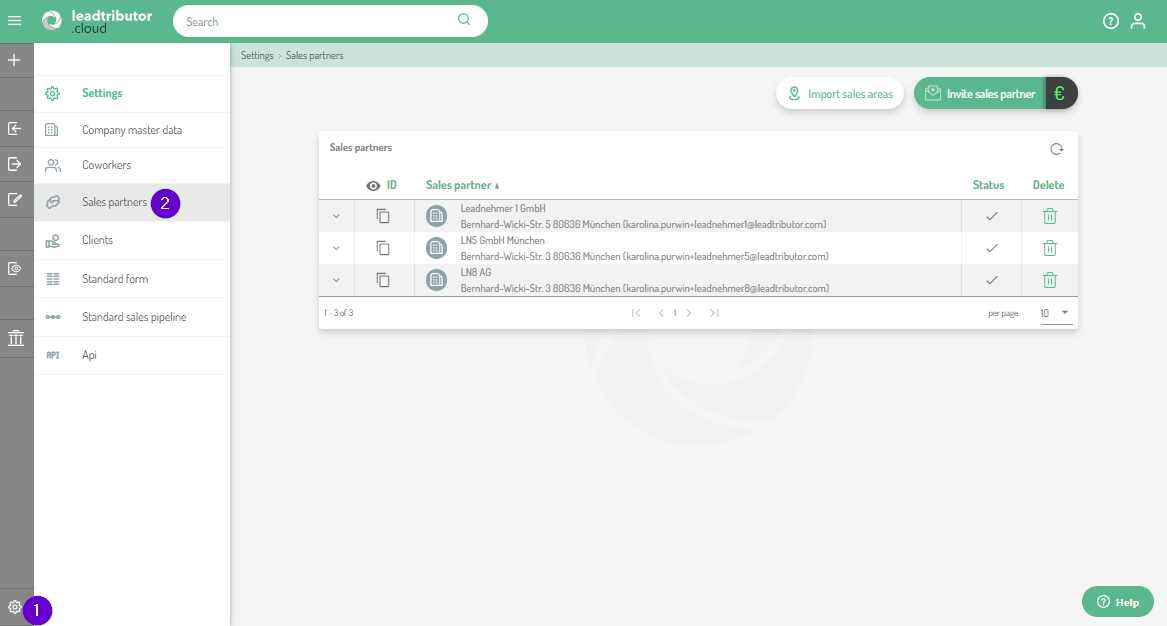
- In a first step, navigate via settings (1) to the sales partners management (2). All sales partners are now displayed here:
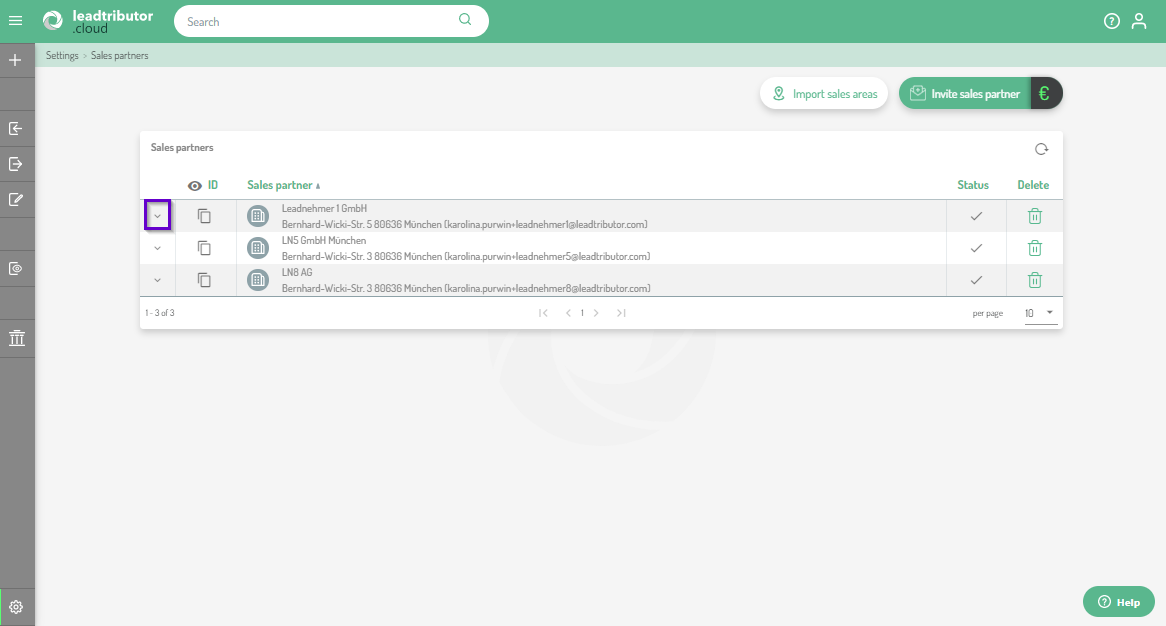
- Click on the small arrow to the left of the sales partner to whom you want to assign sales areas:
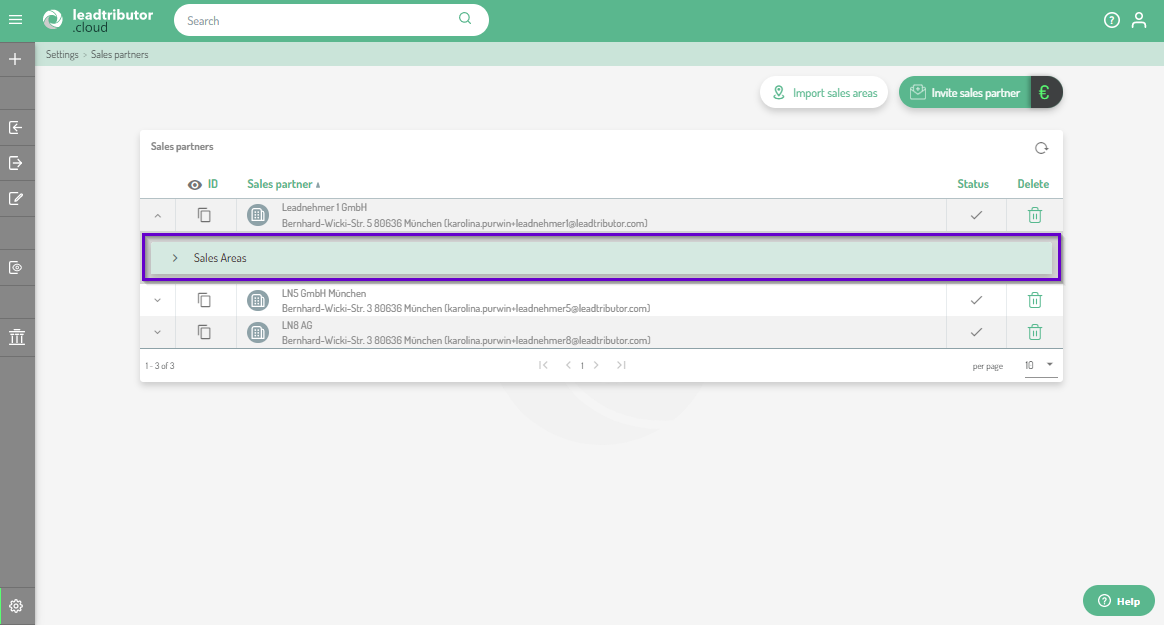
- The submenu Sales Areas opens, which you can expand using the small arrow to the left of the menu name:
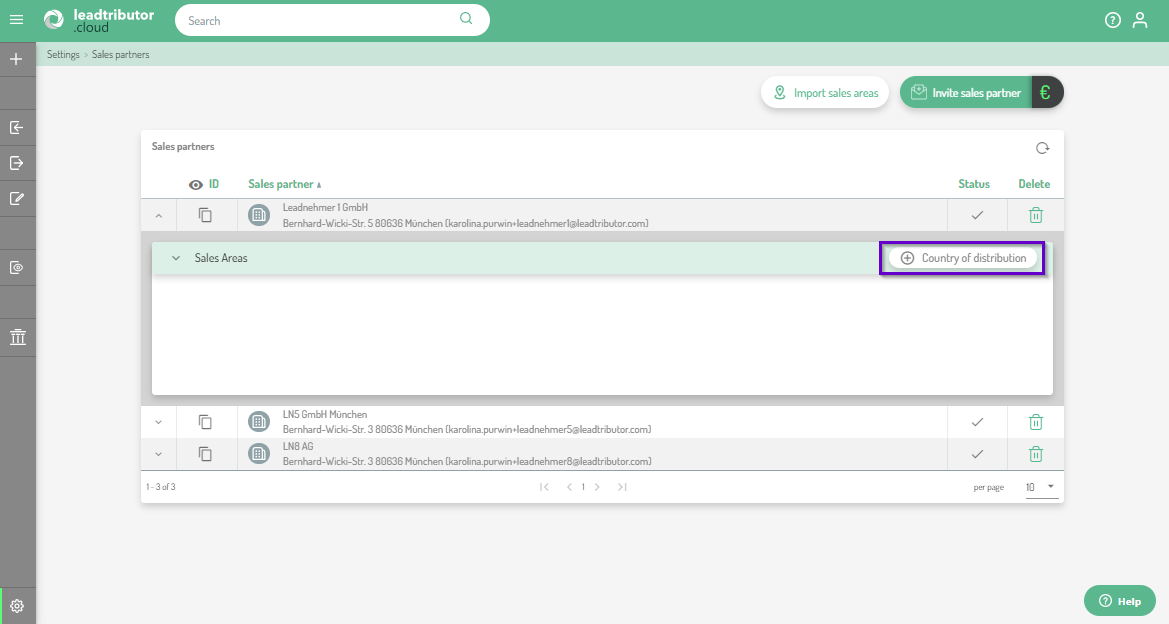
- Select the country of your sales areas:
- Add the zip codes you want to assign:
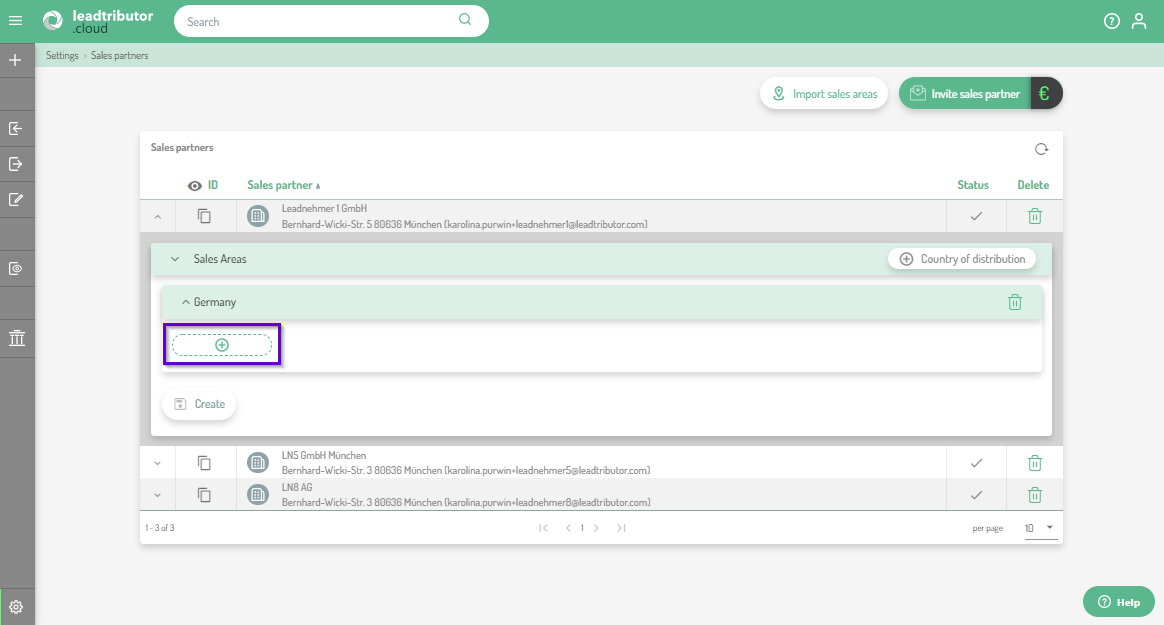
- Confirm your entries with a click on Create.
Note: If you have assigned wrong sales areas to a partner, you can also change/adjust them again at any time. If there are many entries that need to be changed, we recommend our import function. If it is a few, you can simply adjust them manually by opening the sales areas editor next to the sales partner you want to adapt. Now you can remove the wrong ZIP code accordingly by clicking on the minus:
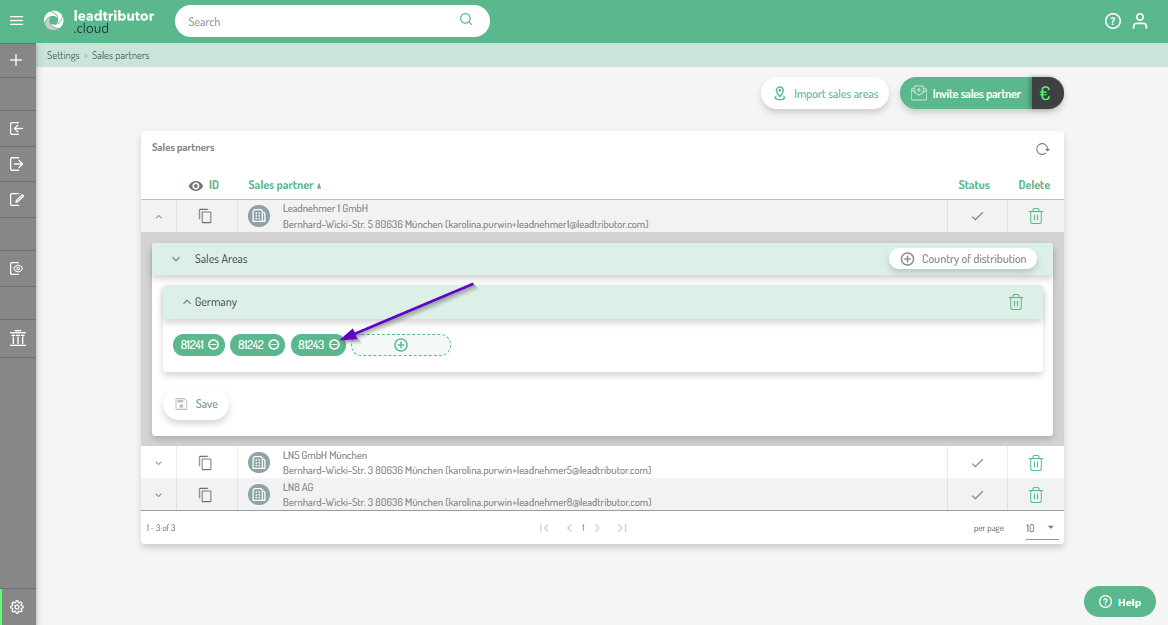
Save your changes by clicking on Save.
Comments
0 comments
Please sign in to leave a comment.