
In order to be able to add lead acceptors and lead providers to one or more of your marketplaces later on, you must first invite your partners as sales partners. To do this, proceed as follows:
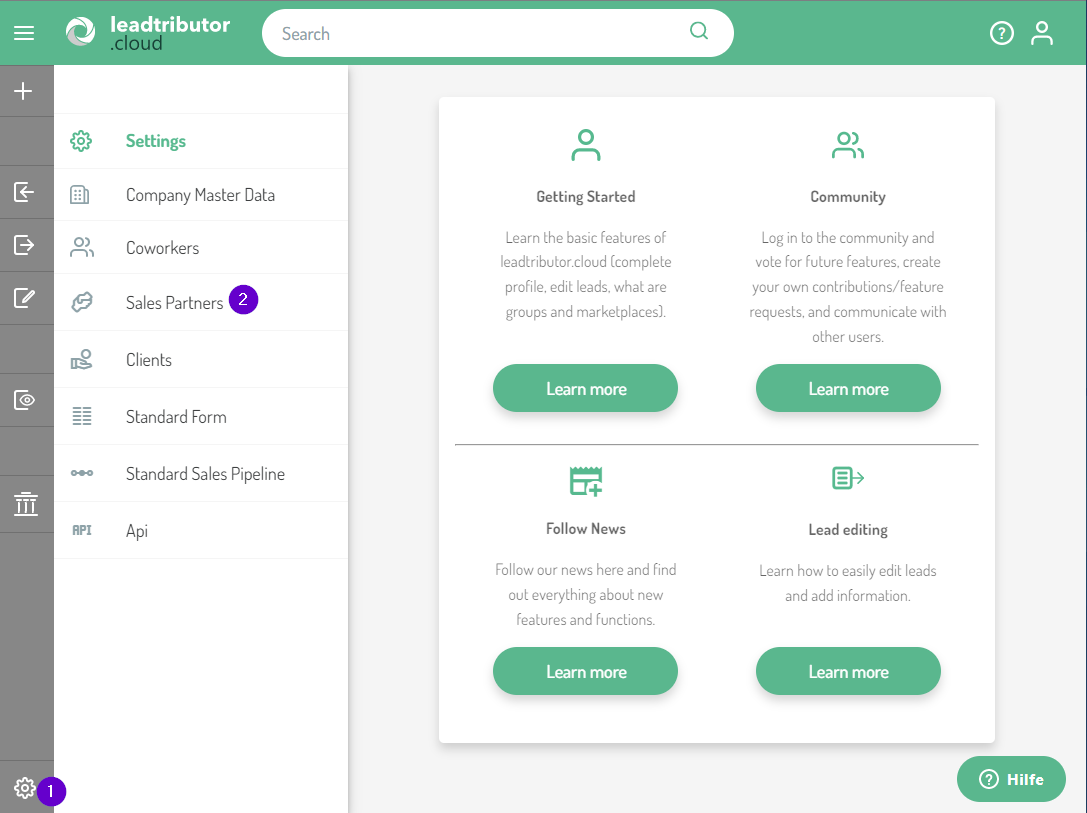
1. Go to the settings and select Sales Partners here:
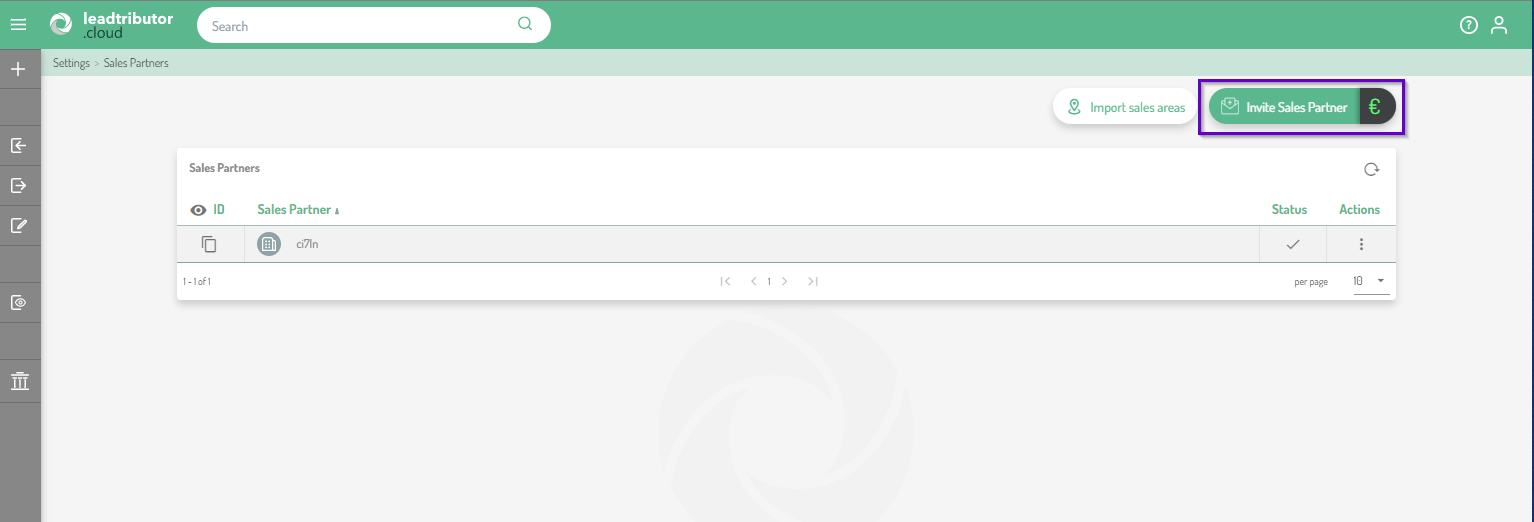
2. Click Invite sales partner:
3. An editor opens, which you can use to enter the e-mail address of your sales partner and, if necessary, a name. Confirm the entry with Add:
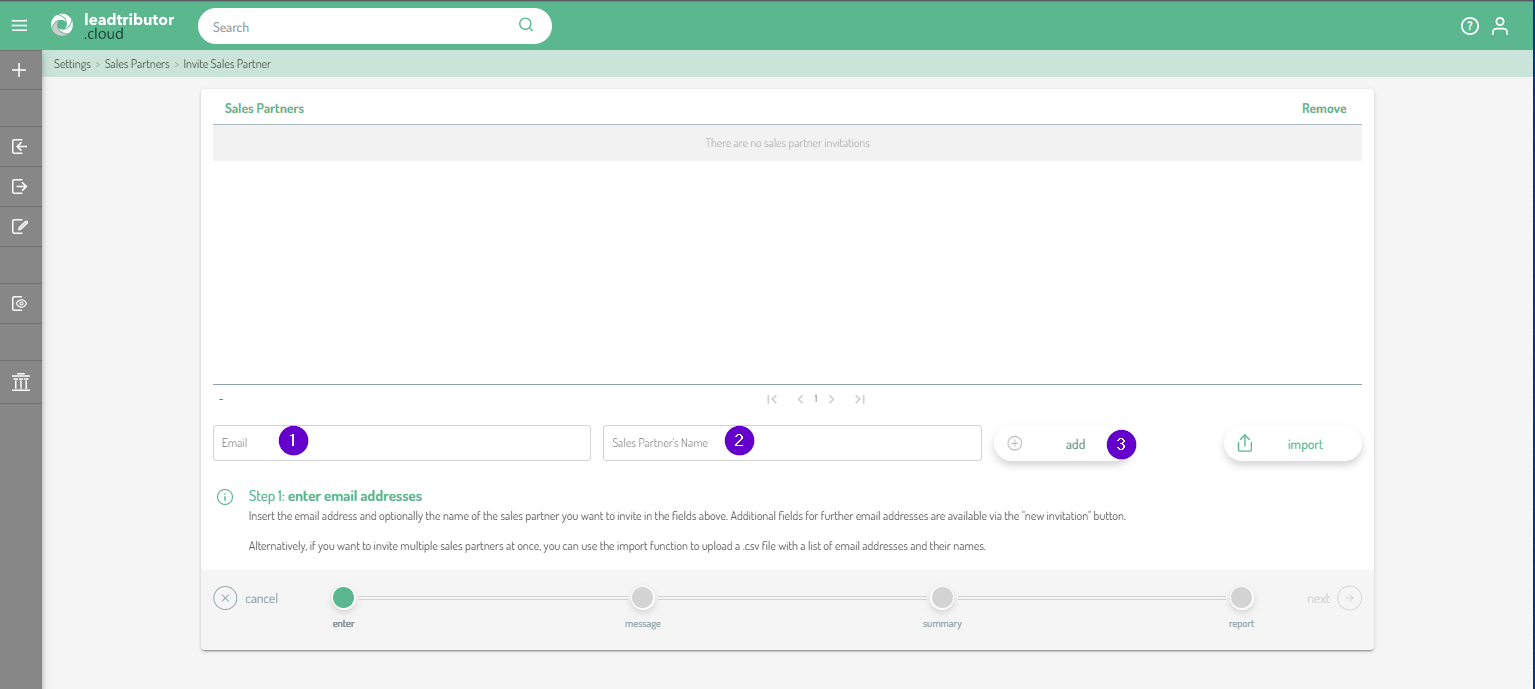
Tip! If you want to invite multiple sales partners at once, you can use the import function to upload a .csv file with a list of email addresses and their names.
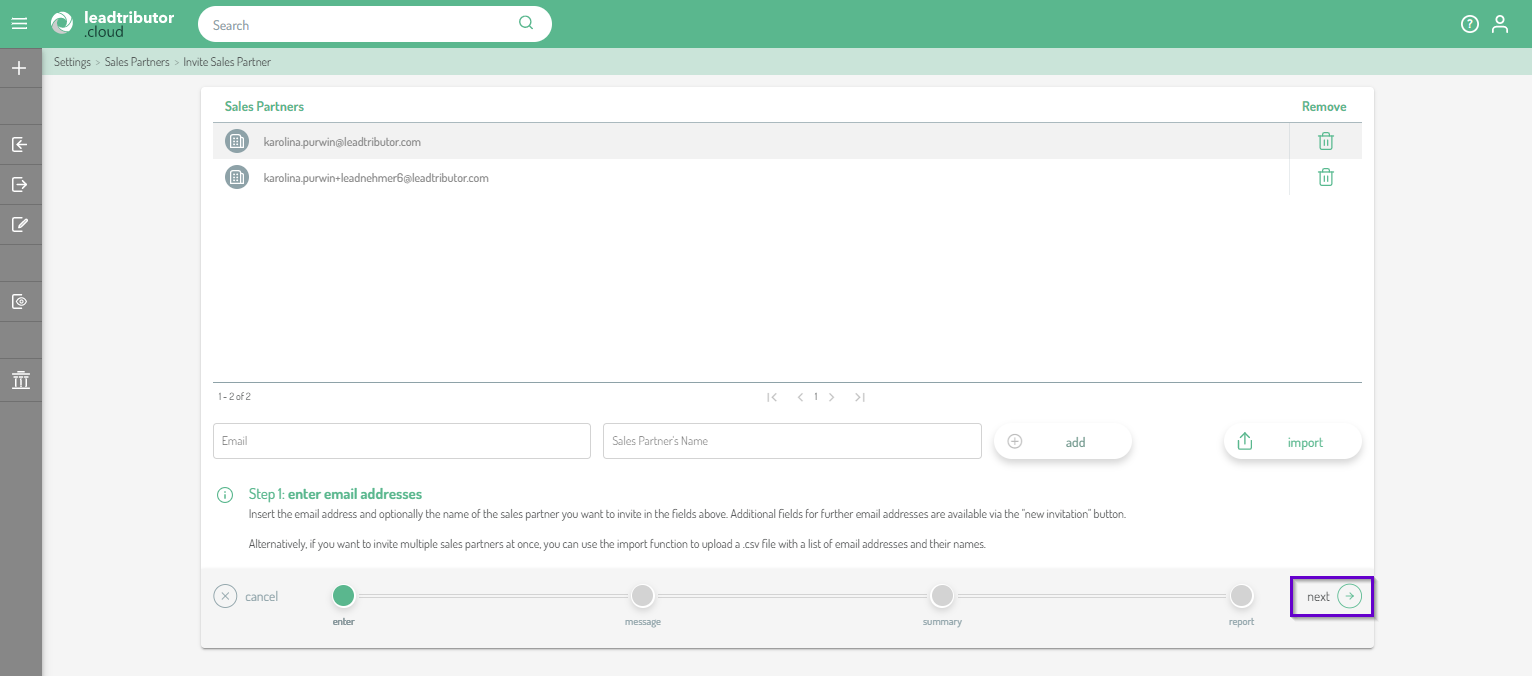
4. Once you have added all your sales partners, click Next:
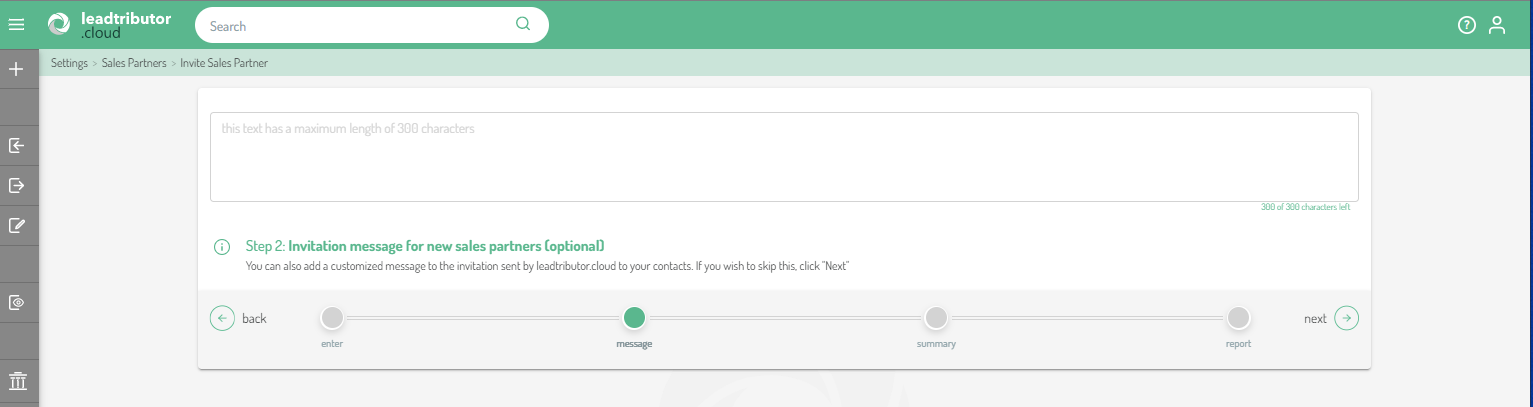
5. You can optionally add custom text to the email invitation in this step. If you want to skip this, click Next:
6. In the last step, double-check your entries before confirming the cost coverage and clicking Invite now:
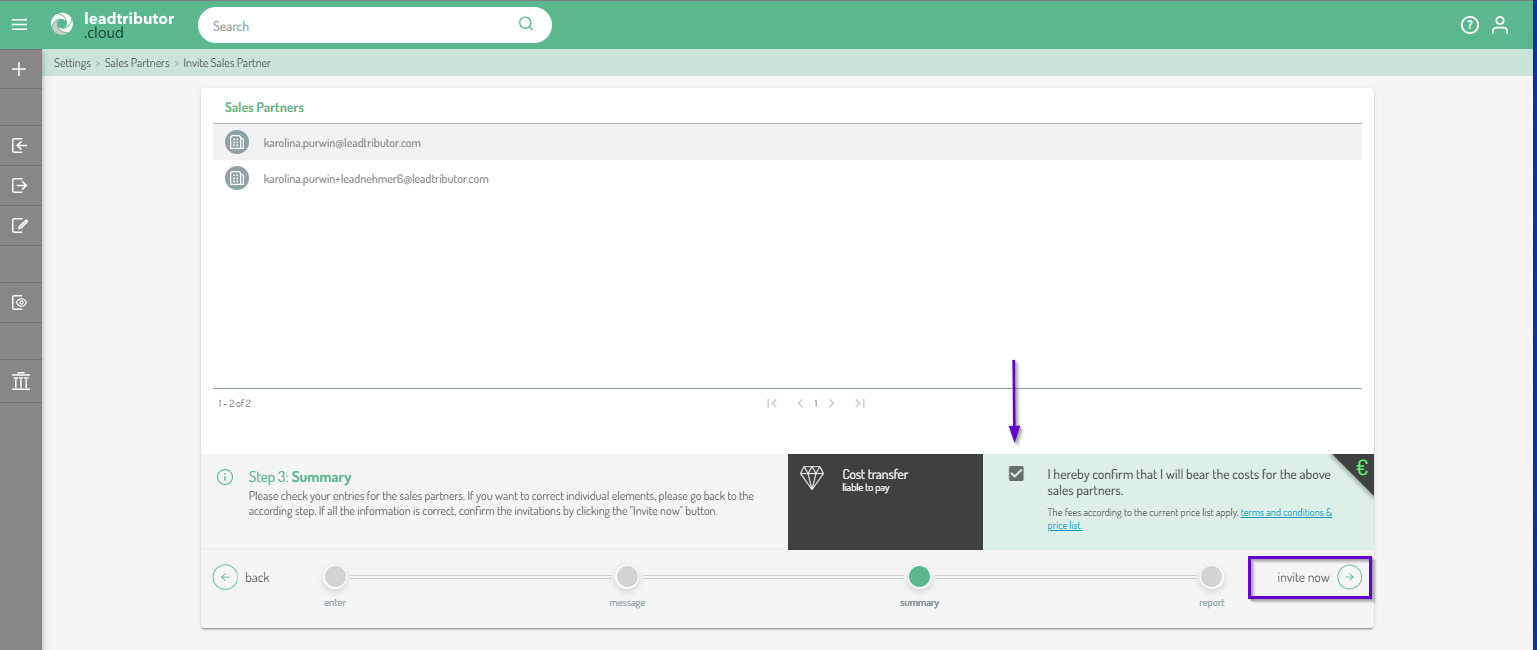
If you find any errors in this step, you can use the back button to return to the respective step and implement the relevant correction.
7. Now you will receive a final technical report and the information how many invitations have been sent:
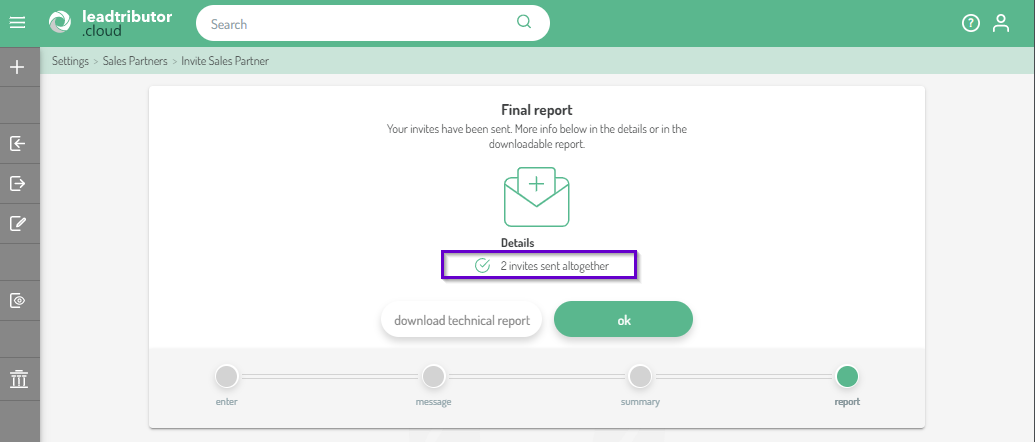
Your sales partners have already received an invitation by e-mail with a registration link:

Comments
0 comments
Please sign in to leave a comment.