
In the article Setting up the distribution process you learned that you can also distribute leads by attributes. You can assign these attributes to your distribution partners individually.
To do so, proceed as follows:
1. Open your sales partners under Settings - Sales partners:
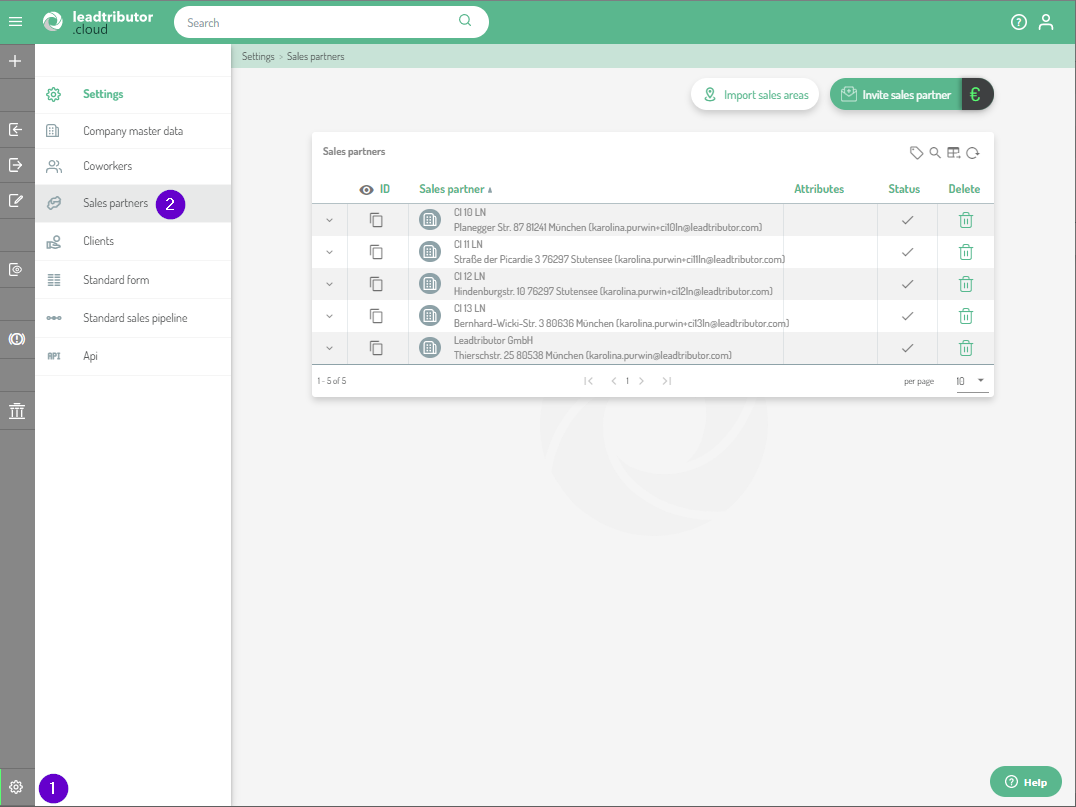
Here are all sales partners listed that you invited to leadtributor.cloud.
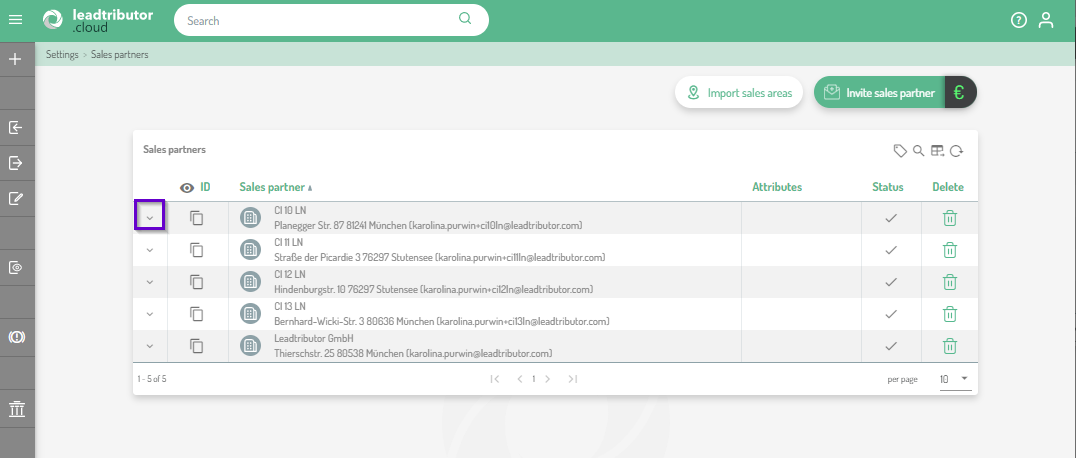
2. To assign an attribute to a sales partner, click on the small arrow to the left of the sales partner:
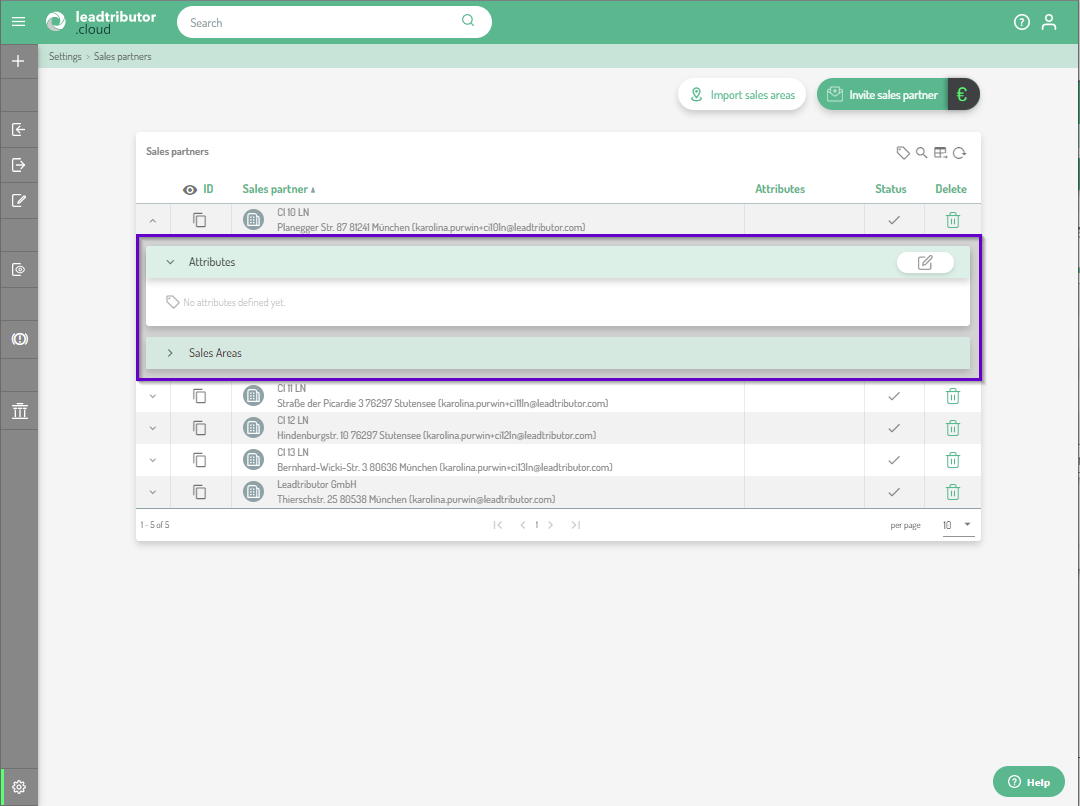
3. An editor opens with two submenus: Attributes and Sales Areas:
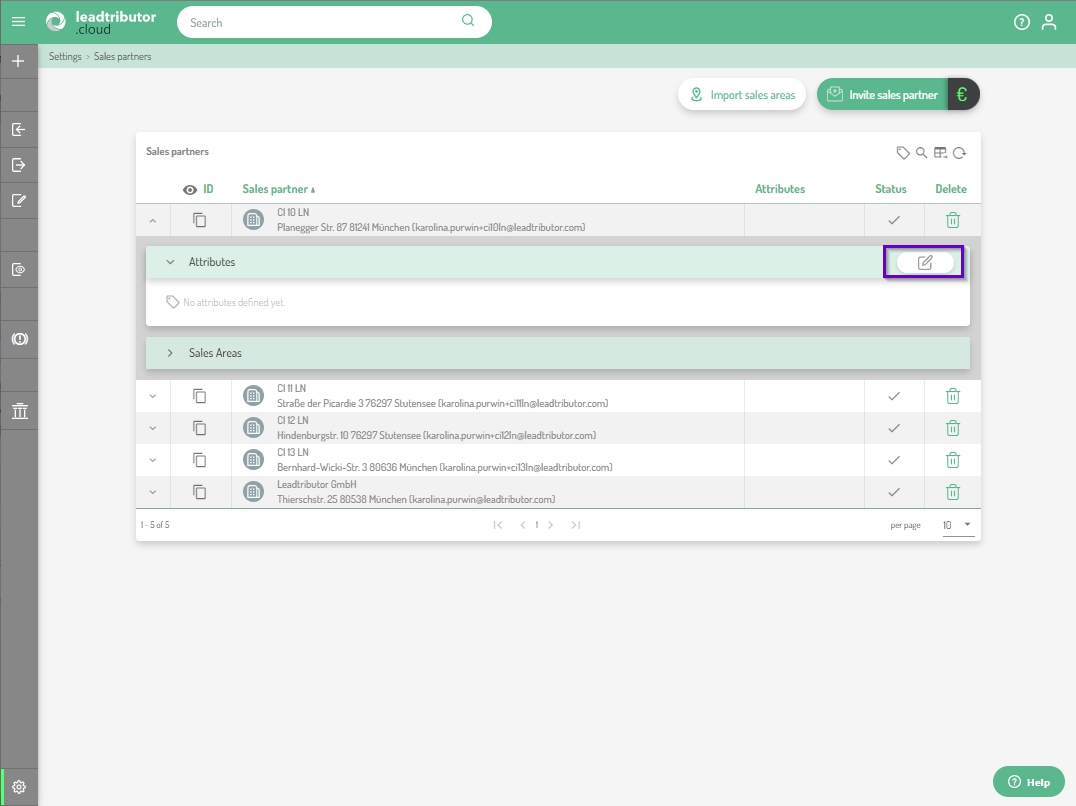
4. To add attributes to a sales partner, click on the small pencil icon:
5. Enter the desired attributes, press Enter and then confirm by clicking on the green tick. A useful attribute can be, for example, a classification of the partner (e.g. gold, silver or bronze).
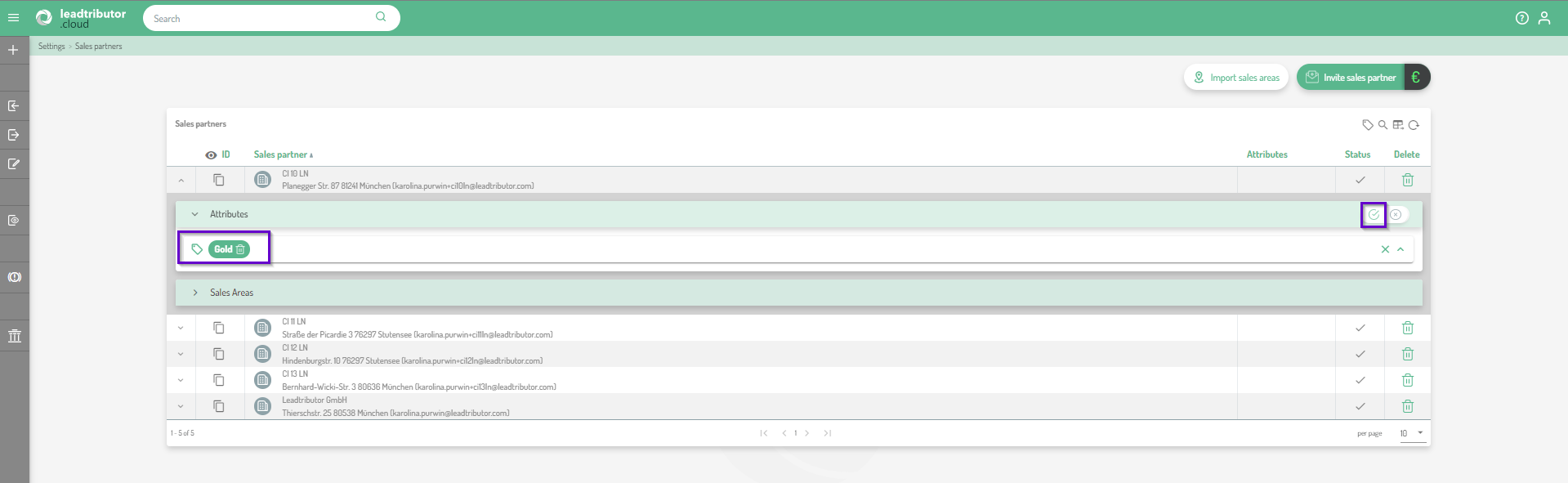
6. After saving, the attribute is listed in the overview in the Attributes column:
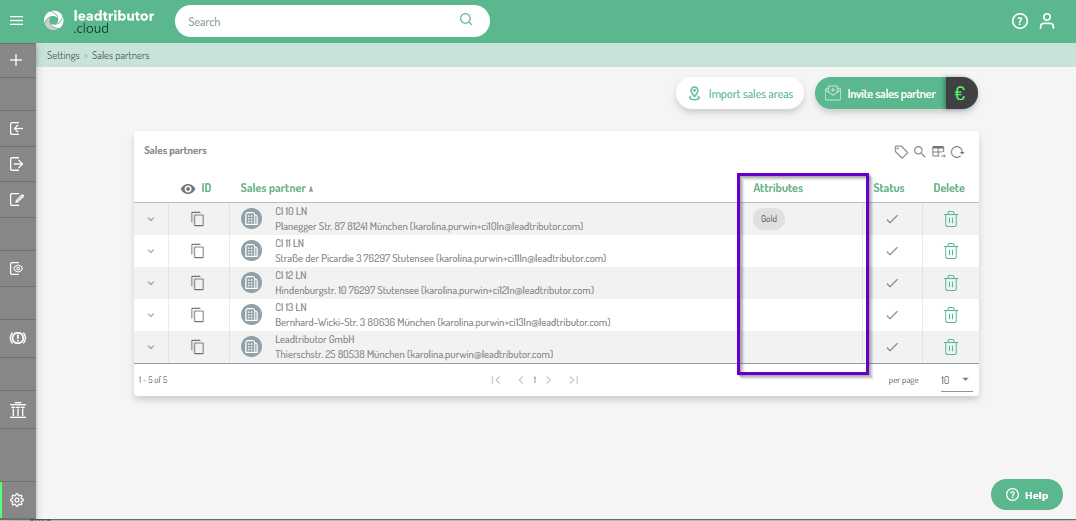
By the way: You can of course also assign several attributes per partner!
Comments
0 comments
Please sign in to leave a comment.