
If you have accidentally created a marketplace or if changed structures require a different set-up, you can delete the affected marketplace.
Please note: The deletion process of a marketplace is final. Once you delete a marketplace, it is irrevocably deleted and cannot be restored. If you are unsure whether a deletion is necessary or perhaps an adjustment is sufficient, please contact our customer support at support@leadtributor.cloud.
If you are still sure that deletion is necessary, you can proceed as follows:
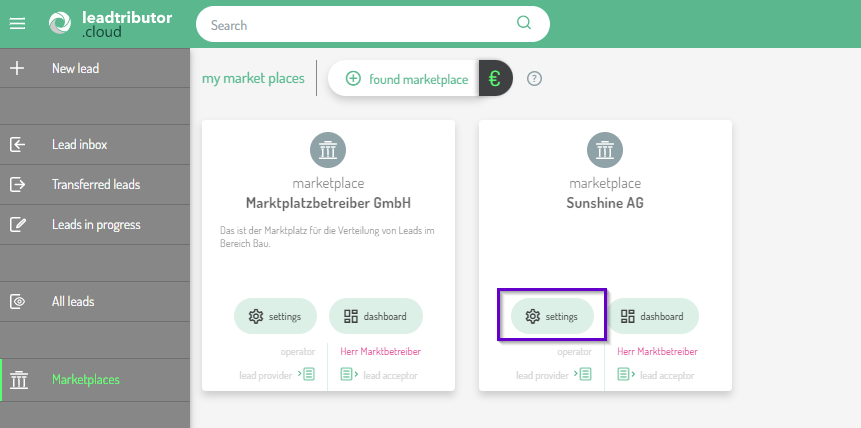
- Click on the marketplace icon in the left sidebar. You will now see all the marketplaces that you manage.
- Open the marketplace settings of the marketplace you want to delete:
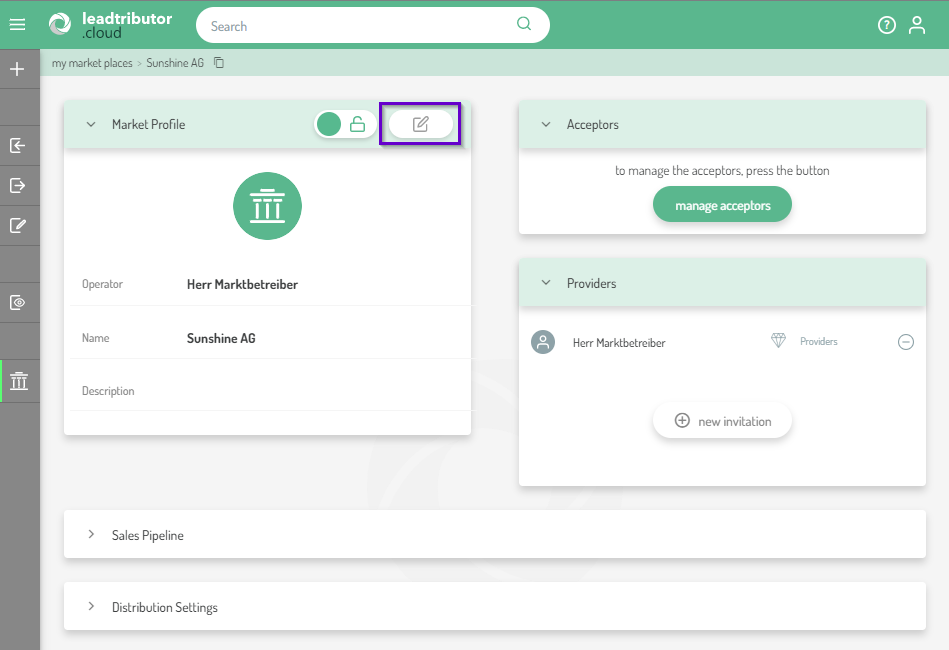
- You will now see the market profile, which you can open for editing by clicking the pencil icon:
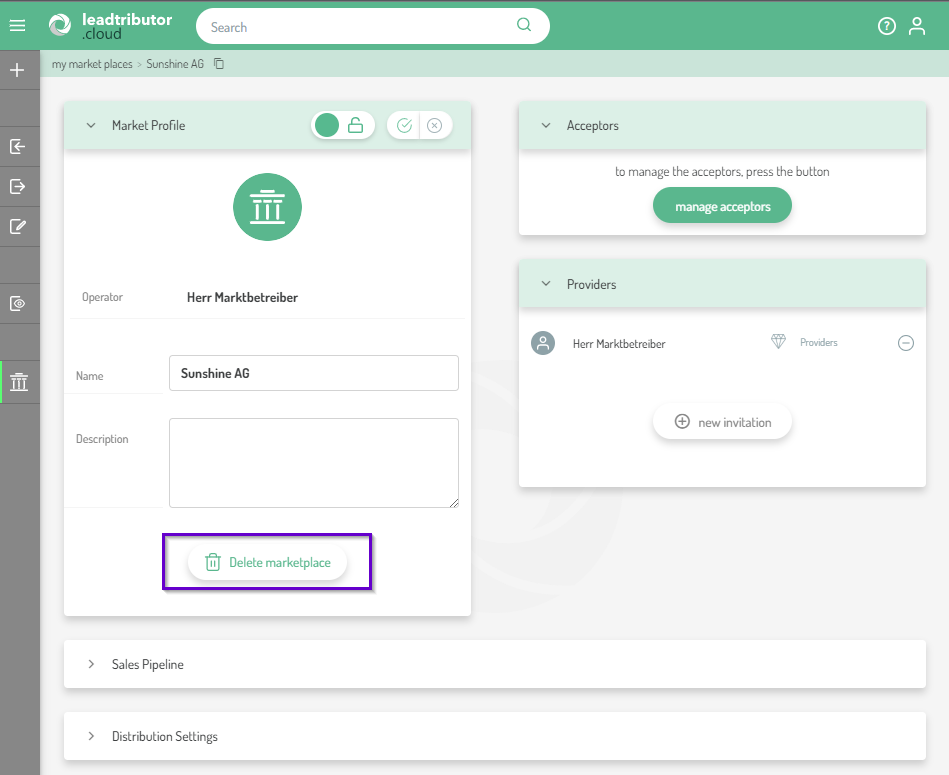
- Now the Delete marketplace field appears:
- As soon as you click on Delete marketplace, a new window will open in which you will be informed once again about the consequences of the deletion and that the deletion is irrevocable:
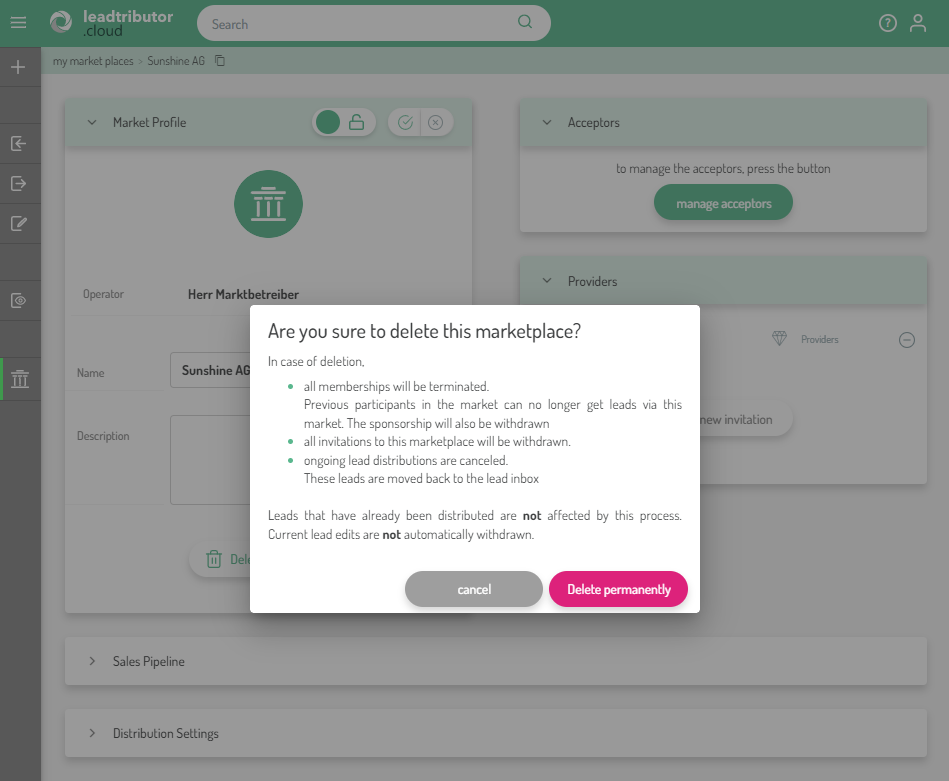 To delete the marketplace permanently, click Delete permanently. If you do not want to delete the marketplace, click Cancel.
Comments
0 comments
Please sign in to leave a comment.