
Each marketplace has its own distribution log. This log gives you information about the status of the lead as well as the status of the distribution. You can use it to see what happened to a lead in the marketplace, to whom it was offered, whether it has already been accepted, and by whom or at what escalation level it is.
To view the distribution log, proceed as follows:
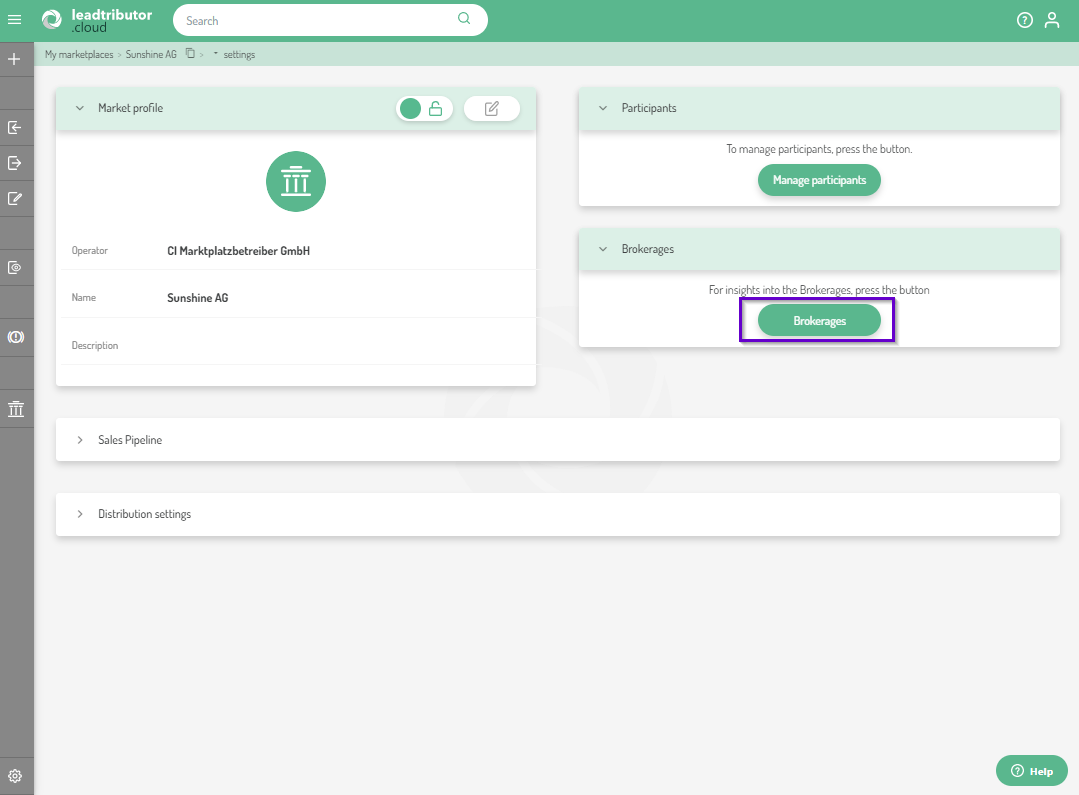
1. Use the marketplace icon in the left sidebar to access the settings of the marketplace whose distribution log you want to view.
2. Click Brokerages:
3. You will now see a list of leads that have been distributed through this marketplace:
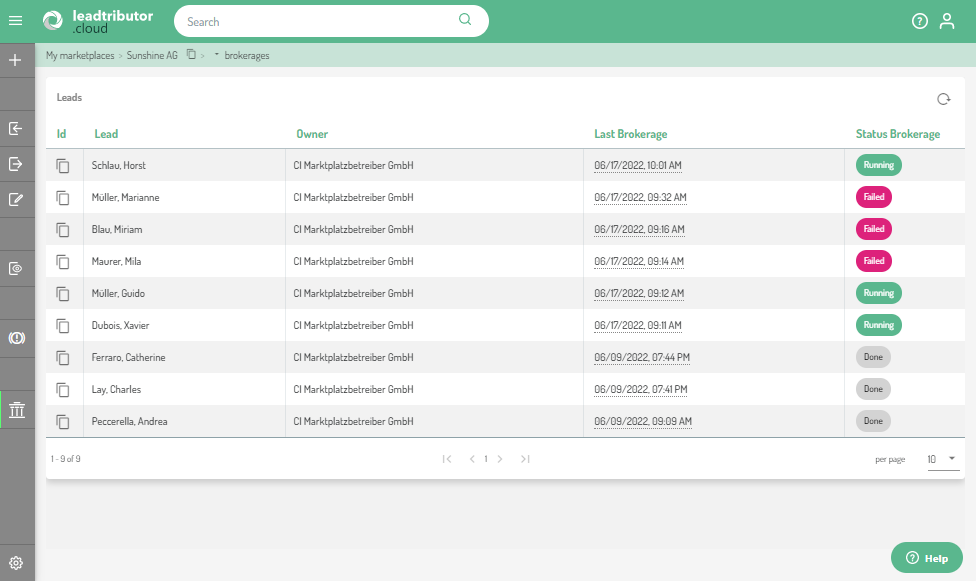
This list consists of a total of five columns, in the first column you can copy the lead ID, which can be helpful, for example, if you want to set a ticket for this lead. The Lead column contains the name of the end customer (if the customer has specified a company, this is displayed in brackets after the name), the Last Brokerage column indicates when the lead was last distributed, and the Status Brokerage column indicates the status of the lead. Possible statuses are:
| Status | Meaning |
| Running | Distribution is currently still ongoing. No offer has been accepted yet. |
| Done | The distribution was completed. One offer was accepted. |
| Failed | The distribution has failed. Either no eligible partners were found, or no partner accepted an offer within the escalation phases, or all partners rejected their offers. |
| Withdrawn |
The lead was withdrawn. Distribution was canceled. Offer was withdrawn. |
4. To view more details about a lead, click on the respective lead. Now another category opens in your view: Brokerages. In this category you can see in which escalation level the lead is located. 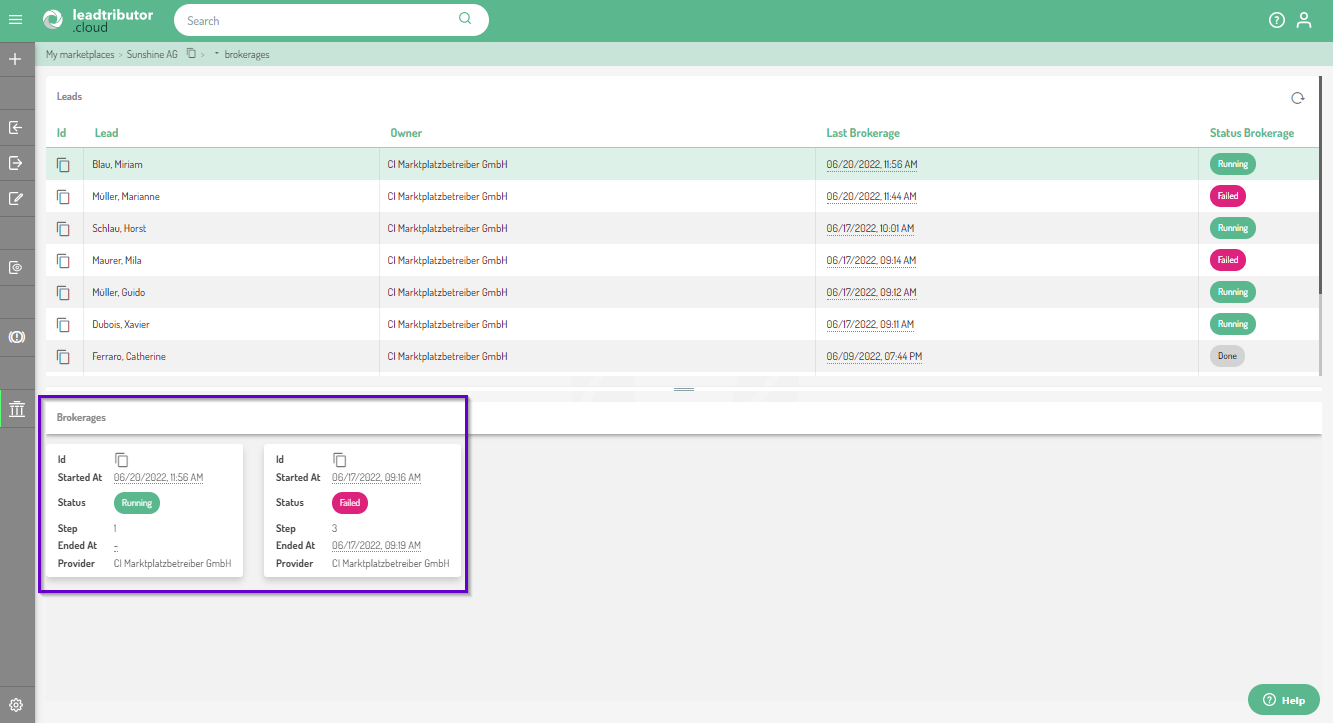
In our example the lead is currently going through the first phase of the second distribution process after the first distribution process with the three phase failed. The current tile is always the left tile.
5. If you now want to see which of your sales partners have been offered the lead, click on the tile under Brokerages. Another category called Offers appears on the right. Here you can see to whom the lead was offered and when, and who accepted it. 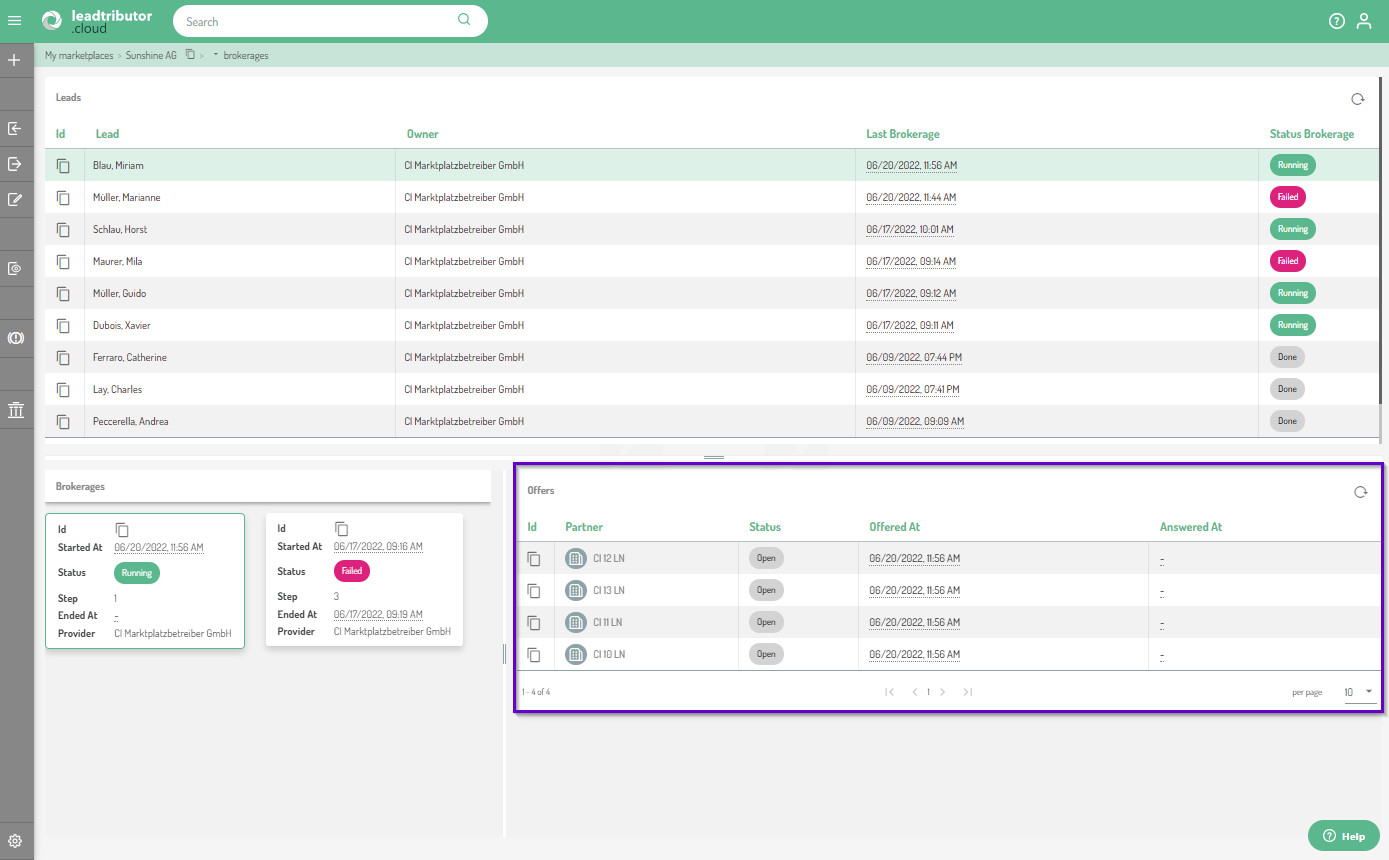 In this example, the lead is in the first phase and has not yet been accepted, all lead offers are open.
Comments
0 comments
Please sign in to leave a comment.