
The leadtributor.cloud web app is a progressive web app (PWA). This web standard allows web apps to be used more or less like native apps. The most practical advantage of this format is probably its installability. On mobile phones, for example, they can be placed on the home screen with their own icon, and on desktop PCs they can be pinned in the taskbar.
In the following step-by-step instruction, we will show you how to install the leadtributor.cloud app on an iPhone :
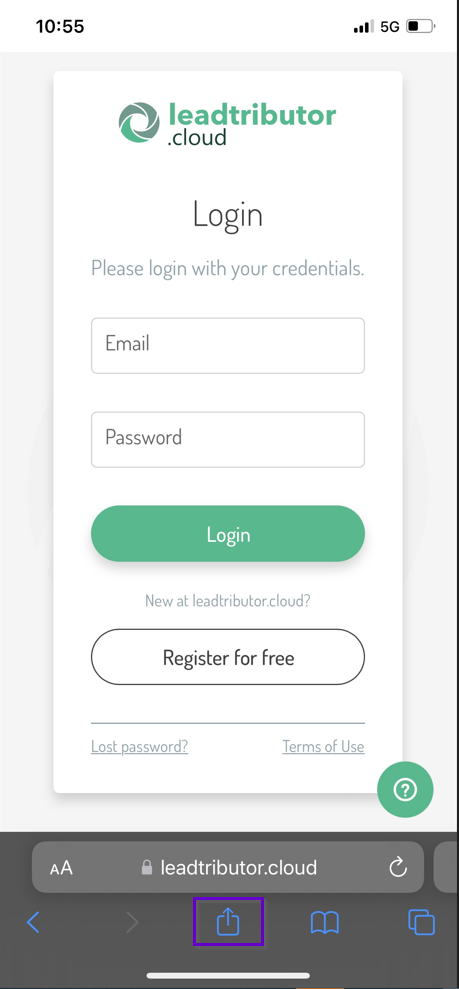
1. Go to https://leadtributor.cloud in Safari, and then click the icon at the very bottom center (highlighted in purple):
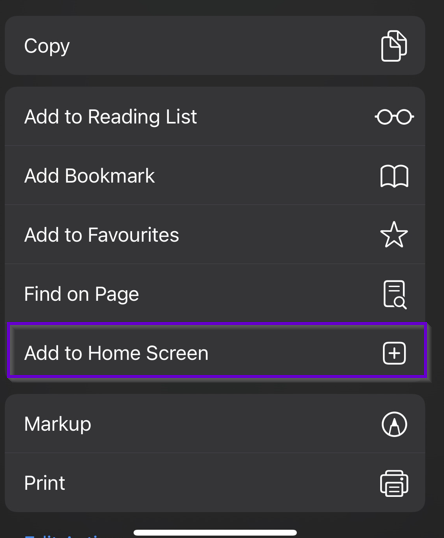
2. You are now in the function menu. Select Add to Home Screen here:
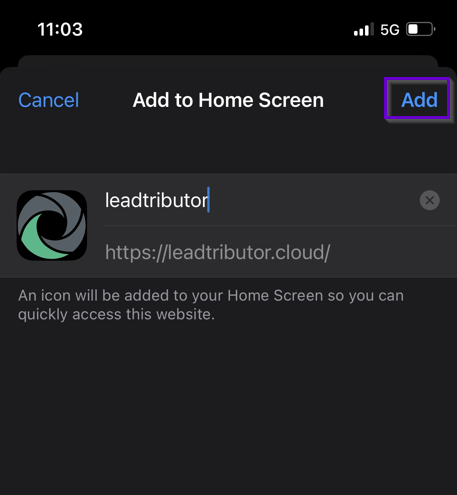
3. A new window opens with the icon, name and address already pre-filled. Click Add:
4. The app is now displayed with its own icon on the home screen:
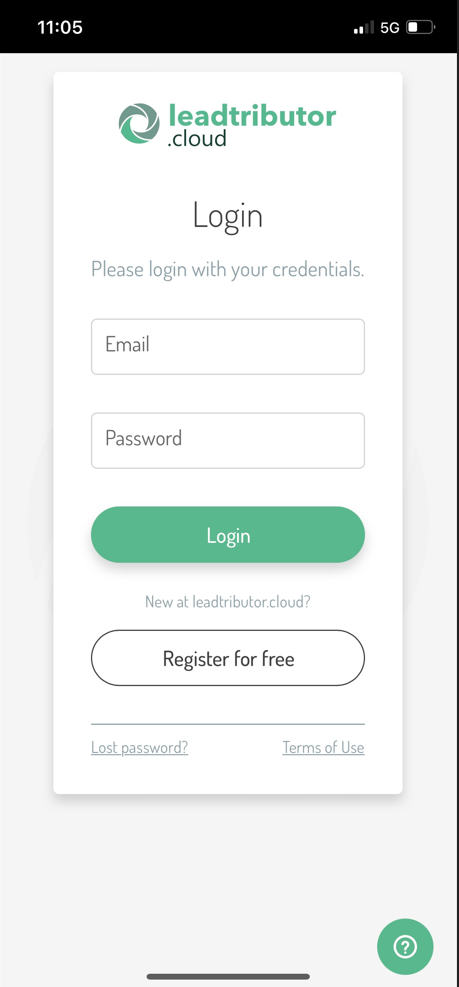
5. If you now open the app, you will get the leadtributor in full screen, without showing the browser bar:
Comments
0 comments
Please sign in to leave a comment.