
In the following section we will show you how to change your password in leadtributor.cloud:
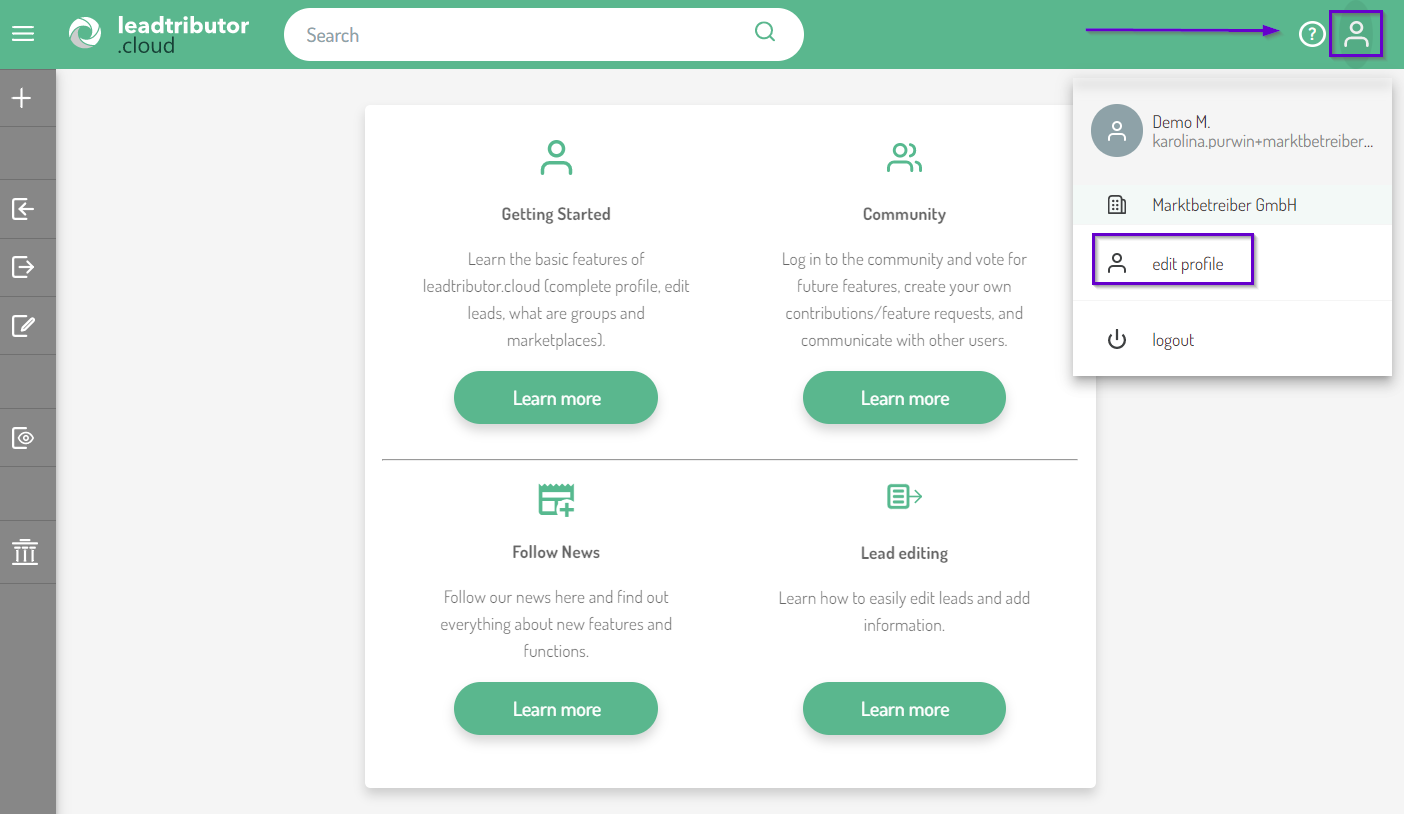
1. To change your password, you need to access your profile. To do this, click on the person icon in the top right corner of your dashboard and then click edit profile:
2. Now your profile will open with the following subcategories:
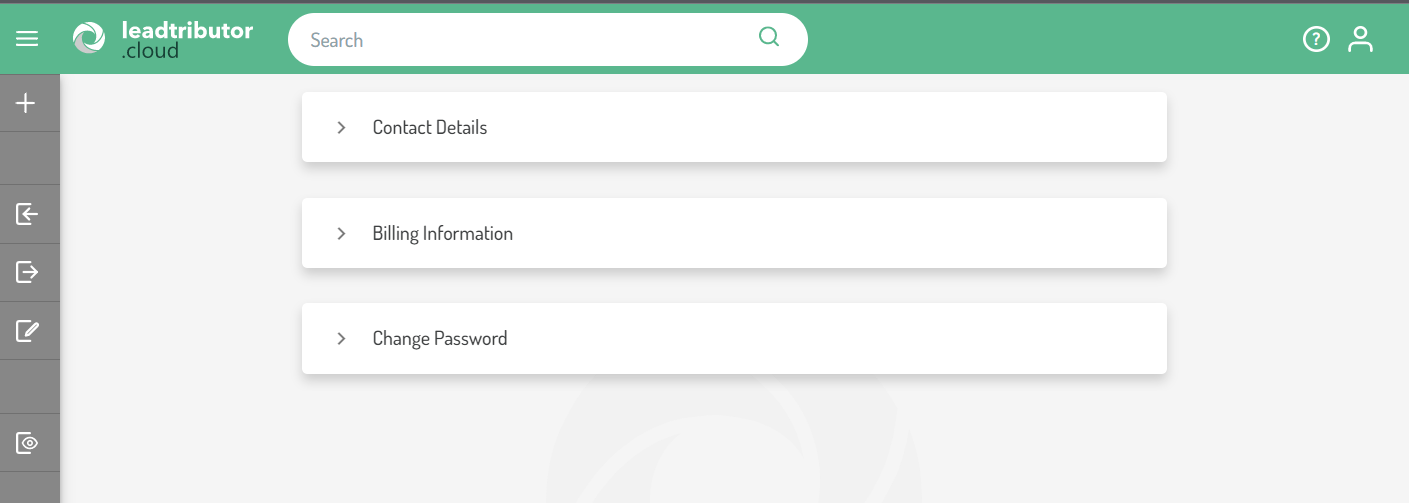
3. Click on Change Password. This opens the submenu and you can enter your current password that you want to change under current password. Now enter the new password under new password as well as under repeated password.
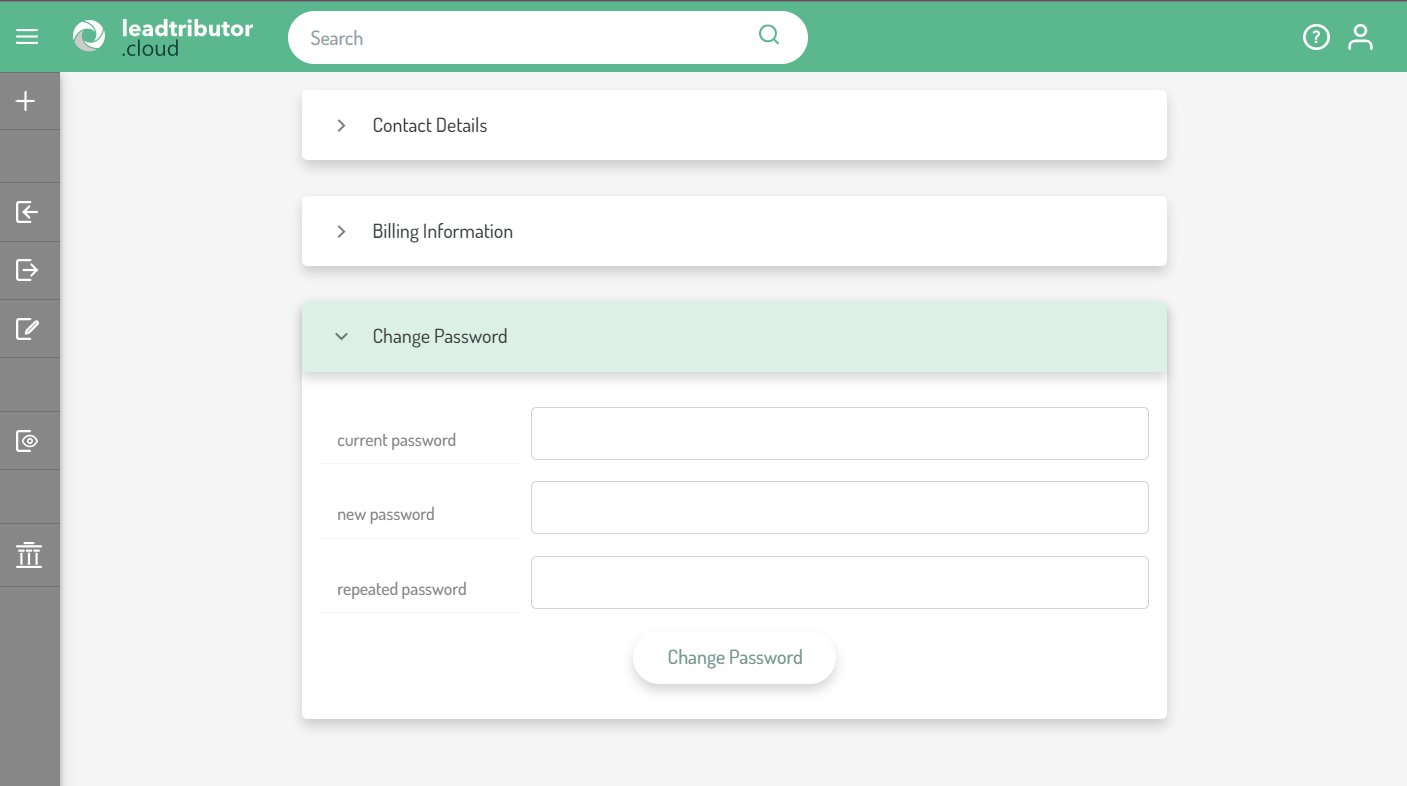
4. Once you are done, confirm your entries with Change Password.
Your password is changed now.
Comments
0 comments
Please sign in to leave a comment.