
If you participate in a marketplace as an acceptor, you have two options when it comes to accepting leads from the marketplace. You can either accept leads via the web view, or directly out of the automated email you receive when a lead is made available.
1. Accepting leads in the web view
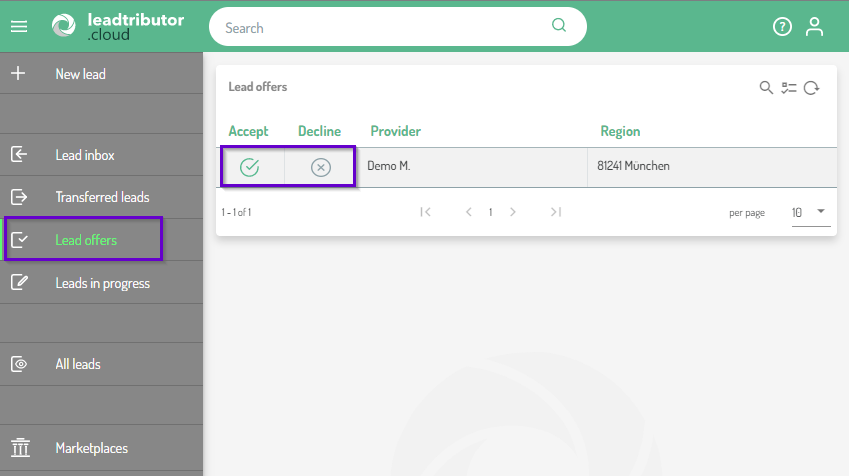
1.1 Go to Lead offers in the left sidebar
All leads that are currently available for you are displayed here. You can also see initial information about the lead here. In any case, you can see who the provider of the lead is as well as the location of the prospect. In addition, further information such as the product interest can be displayed to you. This depends on the settings of the marketplace.
1.2 Accepting leads
You can then accept the lead by clicking on the check and start processing the lead.
1.3 Processing leads
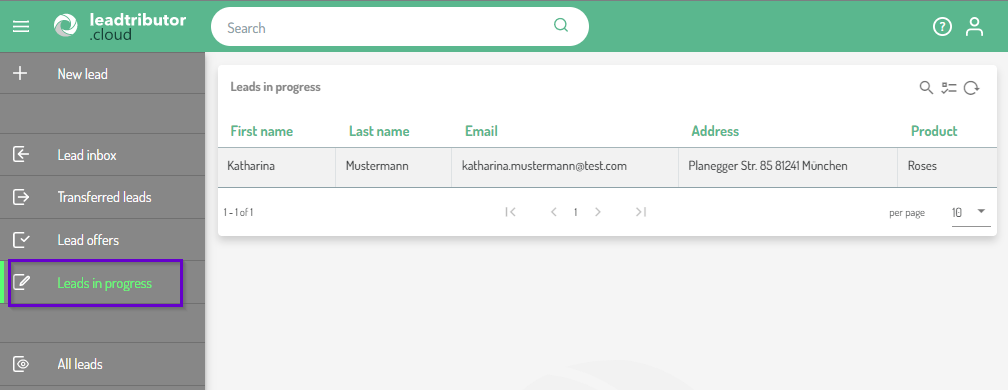
All leads that you have accepted are shown under Leads in progress.
2. Accepting leads via email
Once a lead has been made available to you through a marketplace, you will get an email with some information on the lead as well as the option to accept or decline the lead directly:
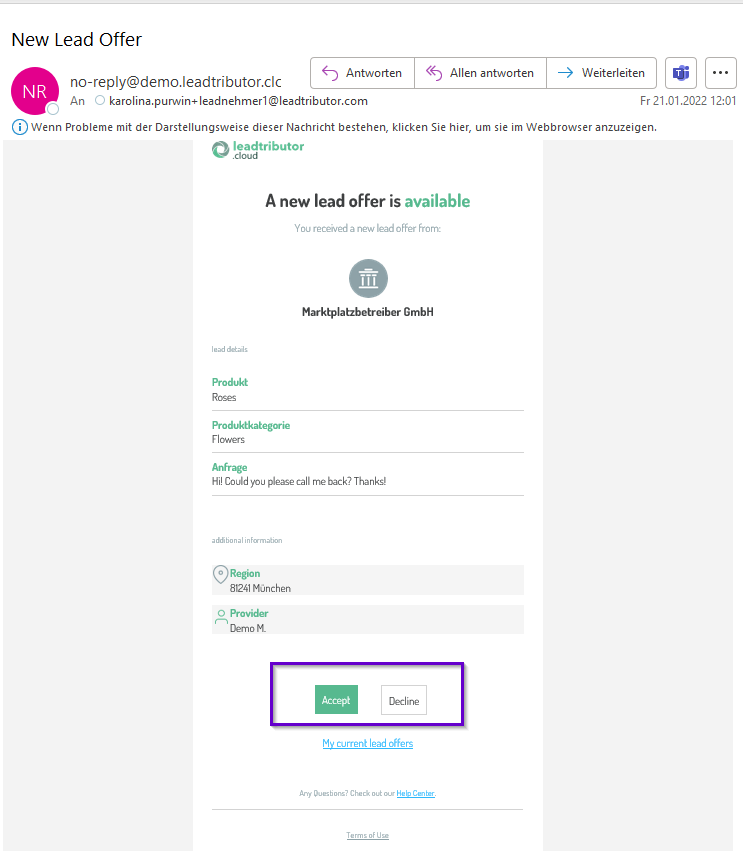
Once you have accepted a lead, you will then be able to open it and additional information are then also available. Please note: You have also the possibility to decline any offered lead. If you decline it, it will dissapear from your list of "Leads in progress".
Comments
0 comments
Please sign in to leave a comment.